
创建 .NET MAUI 应用(Notes)(一)
创建项目
在开始之前,我们遵循一些约定,避免后续代码不可用,项目名称:Notes。 取消“将解决方案和项目放在同一目录中”的设置。创建项目时,请选择最新的 .NET版本。
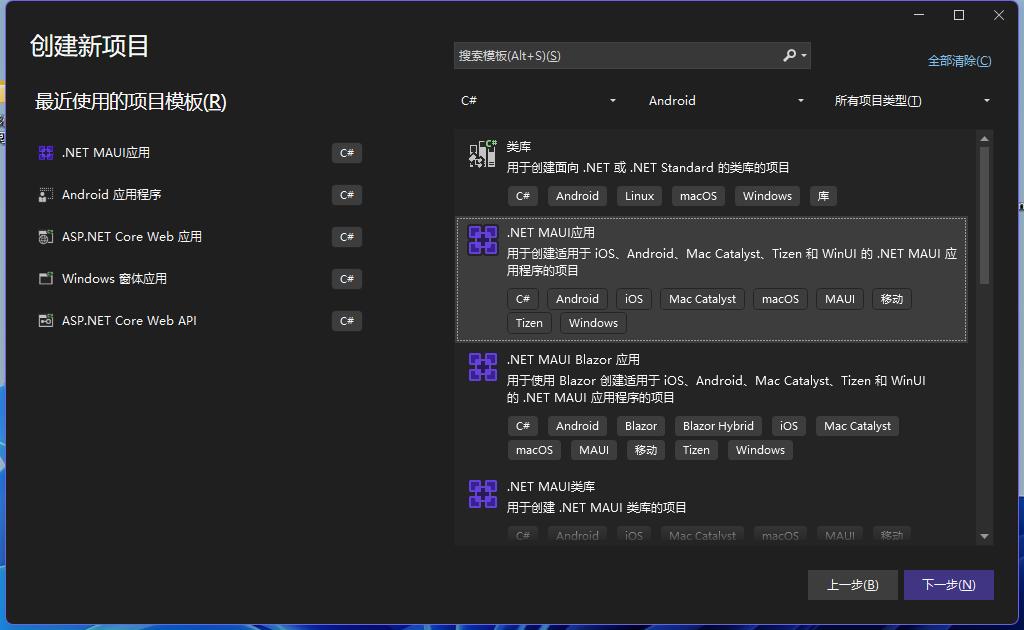
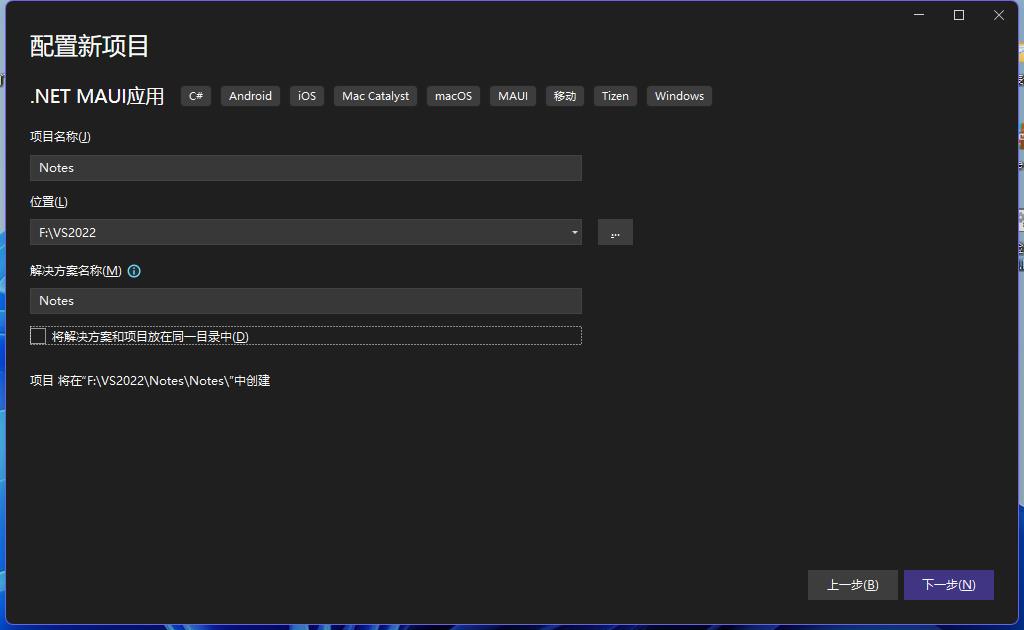
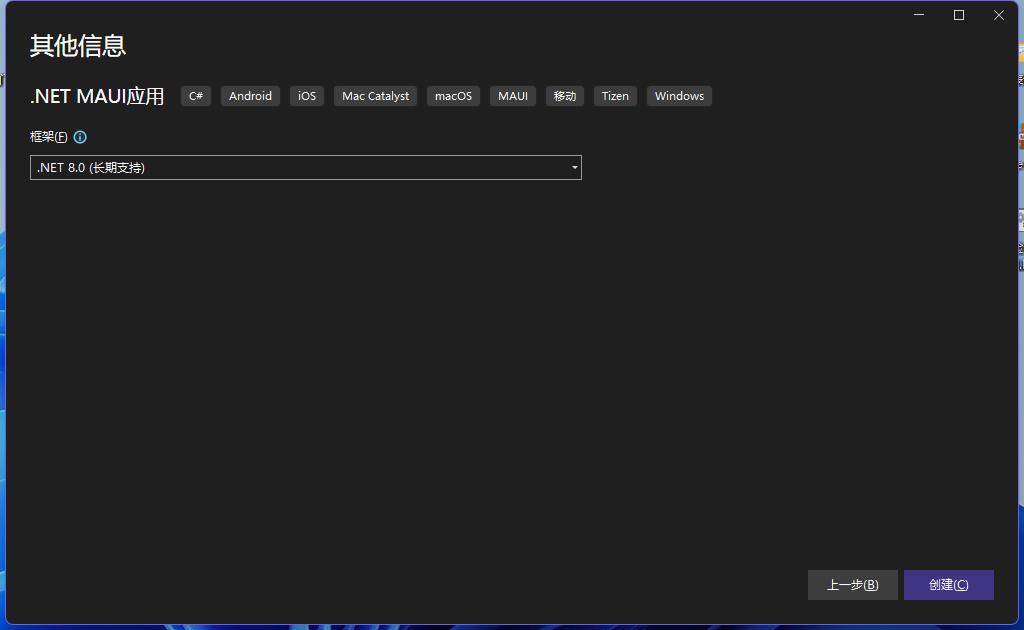
调试模式
.NET MAUI 应用可在多个操作系统和设备上运行。 在 Visual Studio 工具栏中,将“调试目标”设置为要用于调试和测试的设备。 以下步骤演示如何将“调试目标”设置为 Android:
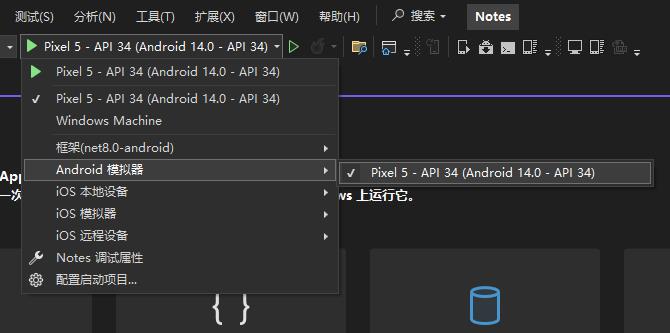
默认文件
Visual Studio 创建 .NET MAUI 项目时,将生成四个重要的代码文件。 可以在 Visual Studio 的“解决方案资源管理器”窗格中看到这些文件:

这些文件有助于配置和运行 .NET MAUI 应用。 每个文件都有不同的用途,如下所述:
MauiProgram.cs
此文件中的代码充当应用的跨平台入口点,用于配置和启动应用。
指向 App.xaml 文件定义的 App 类。
using Microsoft.Extensions.Logging;

namespace Notes
{
    public static class MauiProgram
    {
        public static MauiApp CreateMauiApp()
        {
            var builder = MauiApp.CreateBuilder();
            builder
                .UseMauiApp<App>()
                .ConfigureFonts(fonts =>
                {
                    fonts.AddFont("OpenSans-Regular.ttf", "OpenSansRegular");
                    fonts.AddFont("OpenSans-Semibold.ttf", "OpenSansSemibold");
                });

#if DEBUG
    		builder.Logging.AddDebug();
#endif

            return builder.Build();
        }
    }
}
App.xaml 和 App.xaml.cs
所有 XAML 文件通常都包含两个文件,即 .xaml 文件本身,以及一个相应的代码文件。
.xaml 文件包含 XAML 标记,.xaml.cs代码文件包含用户创建的用于与 XAML 标记交互的代码。
App.xaml 文件包含应用范围的 XAML 资源,例如颜色、样式或模板。
<?xml version = "1.0" encoding = "UTF-8" ?>
<Application xmlns="http://schemas.microsoft.com/dotnet/2021/maui"
             xmlns:x="http://schemas.microsoft.com/winfx/2009/xaml"
             xmlns:local="clr-namespace:Notes"
             x:Class="Notes.App">
    <Application.Resources>
        <ResourceDictionary>
            <ResourceDictionary.MergedDictionaries>
                <ResourceDictionary Source="Resources/Styles/Colors.xaml" />
                <ResourceDictionary Source="Resources/Styles/Styles.xaml" />
            </ResourceDictionary.MergedDictionaries>
        </ResourceDictionary>
    </Application.Resources>
</Application>
App.xaml.cs 文件通常包含用于实例化 Shell 应用程序的代码。
namespace Notes
{
    public partial class App : Application
    {
        public App()
        {
            InitializeComponent();

            MainPage = new AppShell();
        }
    }
}
在此项目中,它指向 AppShell 类。
AppShell.xaml 和 AppShell.xaml.cs
此文件定义 AppShell 类,该类用于定义应用的视觉层次结构。
<?xml version="1.0" encoding="UTF-8" ?>
<Shell
    x:Class="Notes.AppShell"
    xmlns="http://schemas.microsoft.com/dotnet/2021/maui"
    xmlns:x="http://schemas.microsoft.com/winfx/2009/xaml"
    xmlns:local="clr-namespace:Notes"
    Shell.FlyoutBehavior="Disabled"
    Title="Notes">

    <ShellContent
        Title="Home"
        ContentTemplate="{DataTemplate local:MainPage}"
        Route="MainPage" />

</Shell>
namespace Notes
{
public partial class AppShell : Shell
{
public AppShell()
{
InitializeComponent();
}
}
}MainPage.xaml 和 MainPage.xaml.cs
MainPage.xaml 文件定义页面的 UI(用户界面)。
<?xml version="1.0" encoding="utf-8" ?>
<ContentPage xmlns="http://schemas.microsoft.com/dotnet/2021/maui"
xmlns:x="http://schemas.microsoft.com/winfx/2009/xaml"
x:Class="Notes.MainPage">
<ScrollView>
<VerticalStackLayout
Padding="30,0"
Spacing="25">
<Image
Source="dotnet_bot.png"
HeightRequest="185"
Aspect="AspectFit"
SemanticProperties.Description="dot net bot in a race car number eight" />
<Label
Text="Hello, World!"
Style="{StaticResource Headline}"
SemanticProperties.HeadingLevel="Level1" />
<Label
Text="Welcome to .NET Multi-platform App UI"
Style="{StaticResource SubHeadline}"
SemanticProperties.HeadingLevel="Level2"
SemanticProperties.Description="Welcome to dot net Multi platform App U I" />
<Button
x:Name="CounterBtn"
Text="Click me"
SemanticProperties.Hint="Counts the number of times you click"
Clicked="OnCounterClicked"
HorizontalOptions="Fill" />
</VerticalStackLayout>
</ScrollView>
</ContentPage>MainPage.xaml.cs 包含 XAML 的代码,如按钮单击事件的代码。
using Microsoft.Extensions.Logging;
namespace Notes
{
public static class MauiProgram
{
public static MauiApp CreateMauiApp()
{
var builder = MauiApp.CreateBuilder();
builder
.UseMauiApp<App>()
.ConfigureFonts(fonts =>
{
fonts.AddFont("OpenSans-Regular.ttf", "OpenSansRegular");
fonts.AddFont("OpenSans-Semibold.ttf", "OpenSansSemibold");
});
#if DEBUG
builder.Logging.AddDebug();
#endif
return builder.Build();
}
}
} 您阅读本篇文章共花了: